
Nooga Portfolio
Nooga Scale
Nooga Risk
Portfolio Management
See the full picture
from strategy to delivery
Leadership, as well as delivery teams, need to see if the organization is working on the right things and if the investments in those areas are getting the results they expect, and to pivot rapidly if the results are off. Nooga Portfolio provides a single, connected view of strategy, roadmaps, and execution, all within Azure DevOps.
What Nooga Solves
Why can’t we tell if we are working on the right things?

No single source of truth across the portfolio.
Teams and management manually check multiple Azure DevOps boards, hold context in their heads, and copy-paste data into spreadsheets just to understand what is happening. Reports are already outdated before they are shared.

OKRs and work items live in different places.
Strategic objectives and OKRs live in presentation decks. Epics and features live in Azure DevOps. There is no automatic way to trace work to outcomes, so leaders rely on self-reported status updates over live data.

Invisible dependencies between teams cause problems.
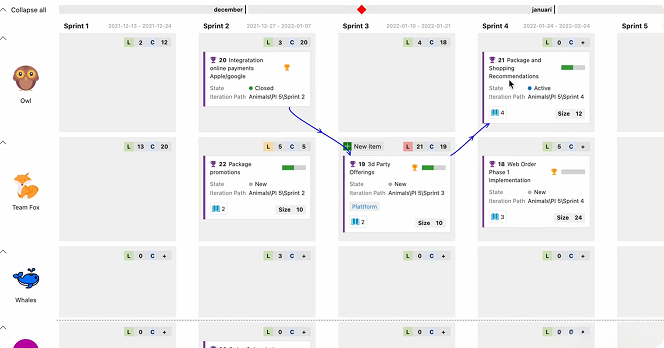
Cross-team dependencies are tracked in spreadsheets, discussed on calls, or not at all. By the time a dependency surfaces mid-sprint, the delay is unavoidable. Managing these dependencies is a full-time role that only grows with every team you add.

Your portfolio data is one step behind.
Decisions are made on reports that are accurate when written. By the time data is exported, formatted, and shared, it's already out of date. There is no live connection between where work happens and where strategy is reviewed.
How Nooga Solves It
A single view tying strategy to execution
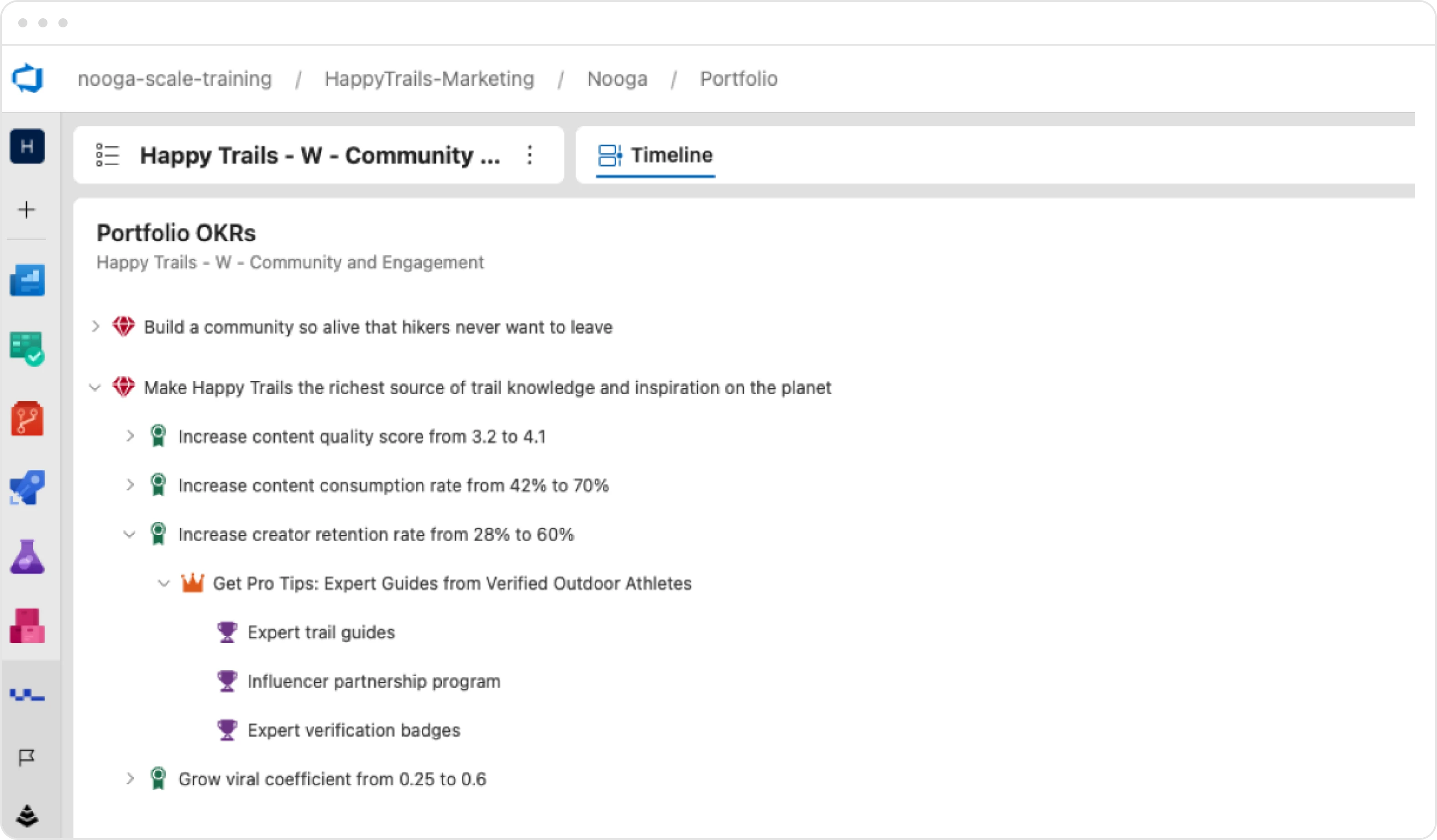
1. Connect strategy to execution with OKRs as native work items
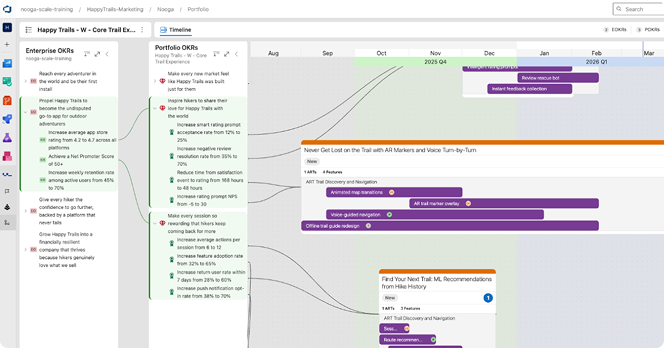
Nooga Portfolio introduces OKRs as native Azure DevOps work items, linking enterprise objectives directly to the epics and features your teams are executing. Trace the golden thread from strategy to delivery, and see the knock-on effects immediately if priorities shift.
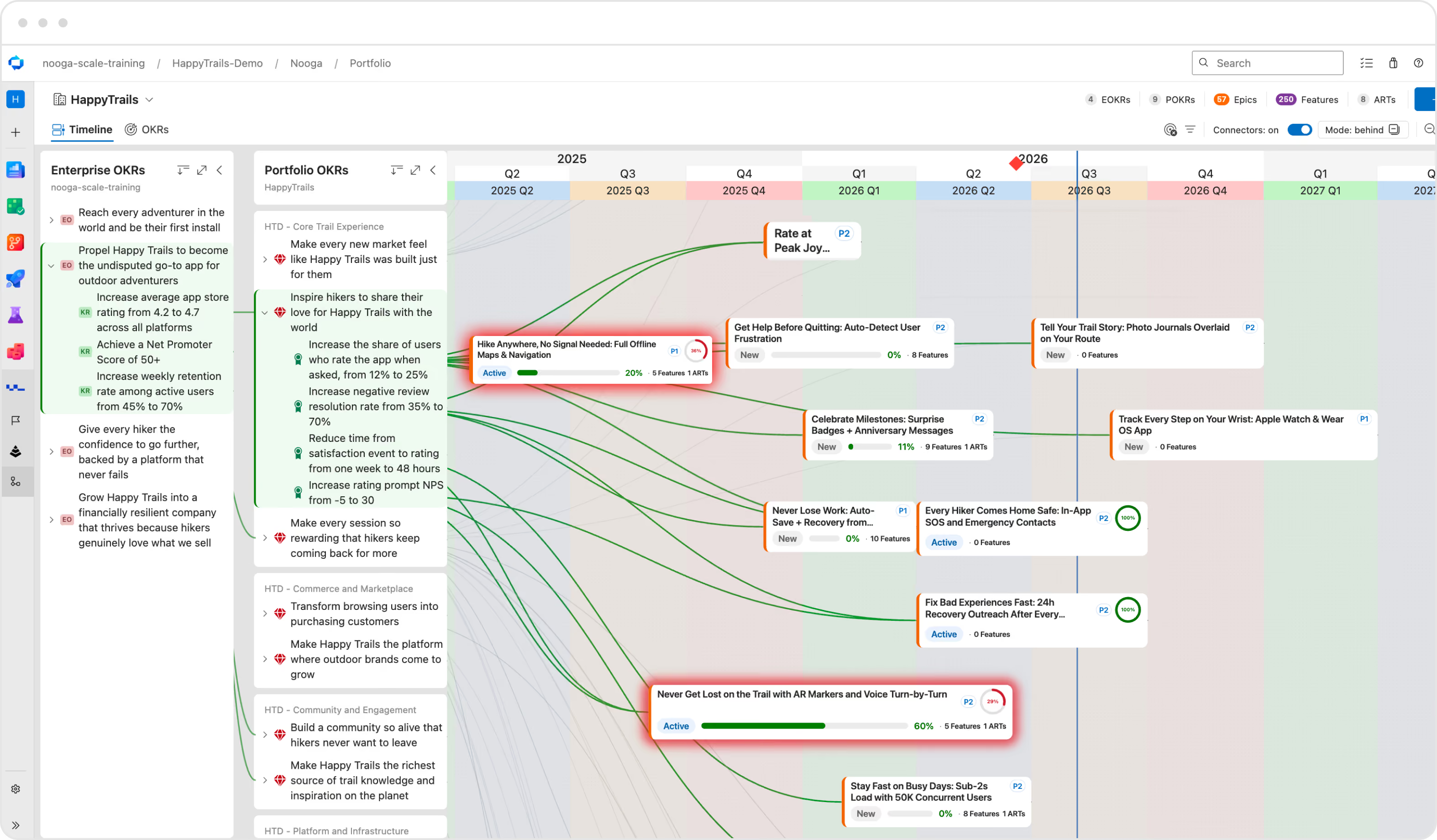
2. See everything move in real time
The Enterprise View gives leadership and portfolio managers a single, real-time view across all portfolios, without jumping between boards or spreadsheets. Switch on connectors to see exactly what work ties to which objective, and surface anything active or planned that connects to nothing, so you know what to stop, link, or question. With Nooga Scale connected, PIs, ARTs, and value streams line up against your portfolio cadence on the same timeline.
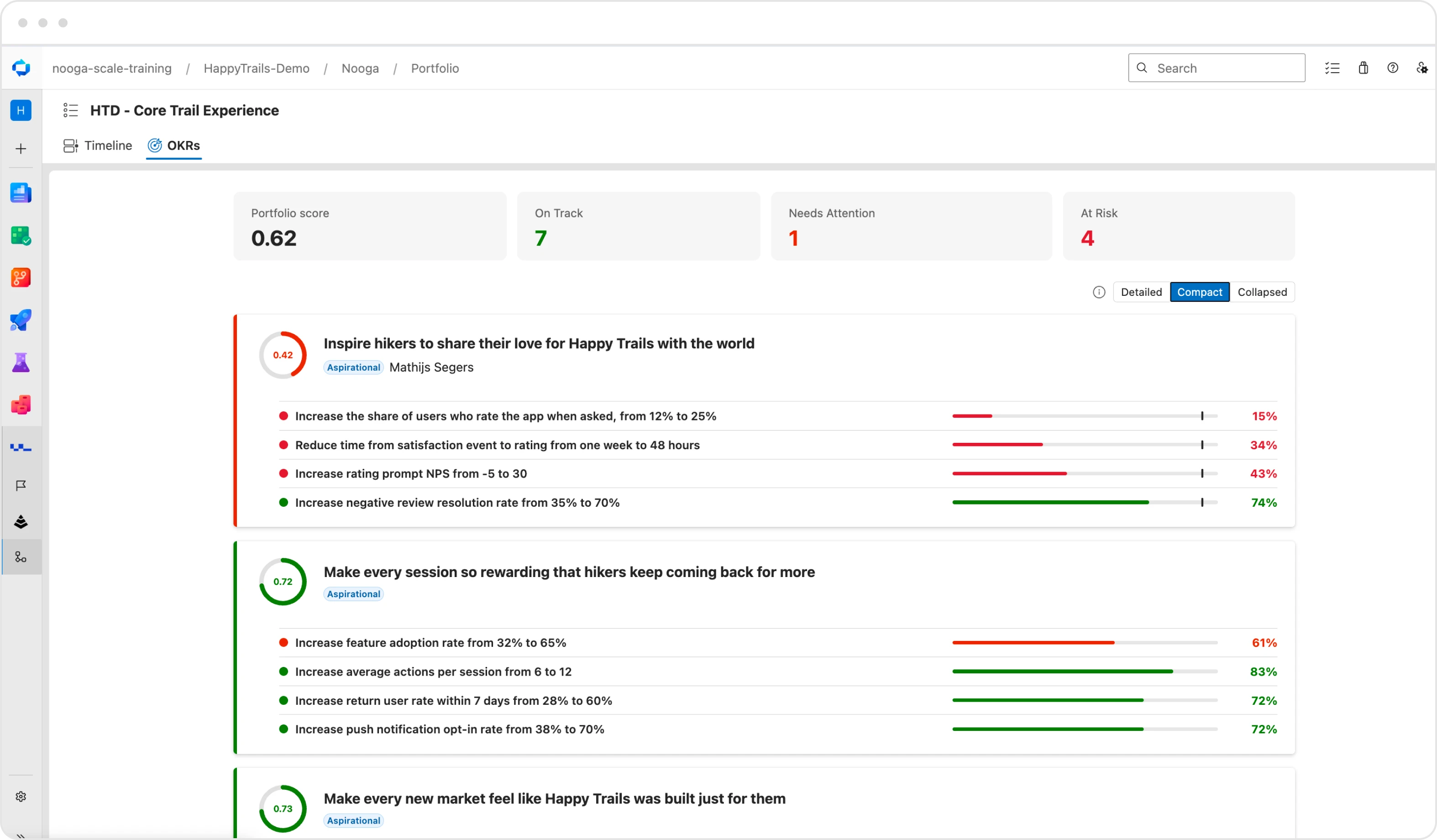
3. Track if you’re actually pushing the needle
Connecting work to your OKRs is only half the picture. Nooga Portfolio tracks whether your key results are actually progressing, so you can see whether the work you're doing is delivering the outcomes you expect and if something requires your attention.
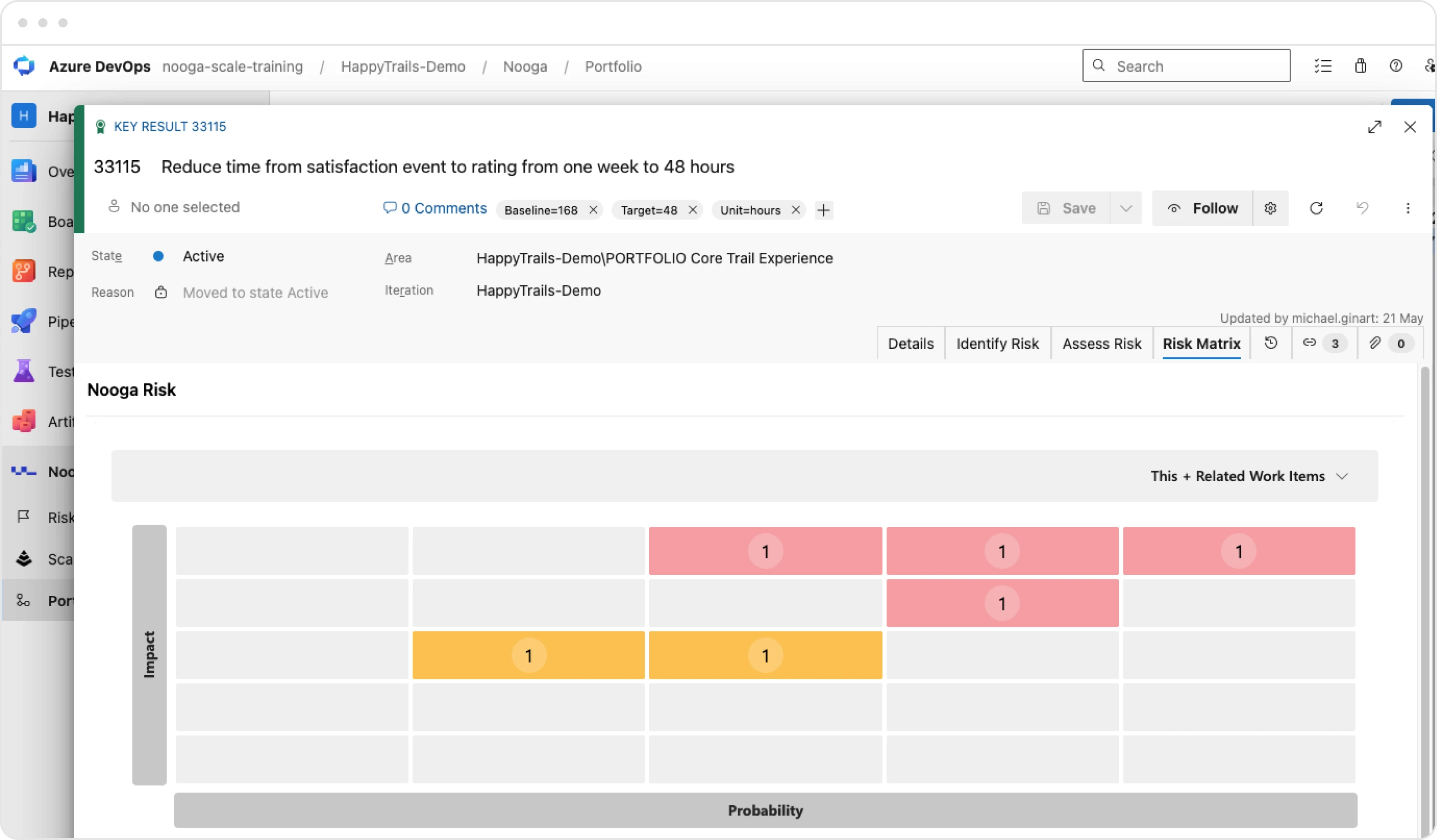
4. Surface the risks connected to what actually matters
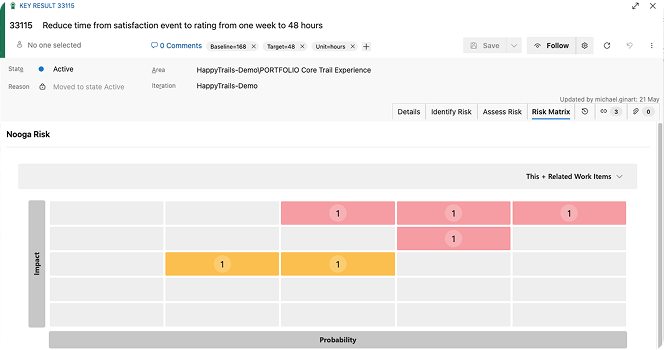
Portfolio visibility tells you what work is happening. But if the risks connected to that work are managed separately, in a spreadsheet or a standalone tool, they're invisible at the moment decisions get made. Nooga Risk connects directly to your portfolio and execution layers, rolling up every risk logged against the work under a key result, so you can see whether that key result is on track or at risk.
5. Spot what needs attention
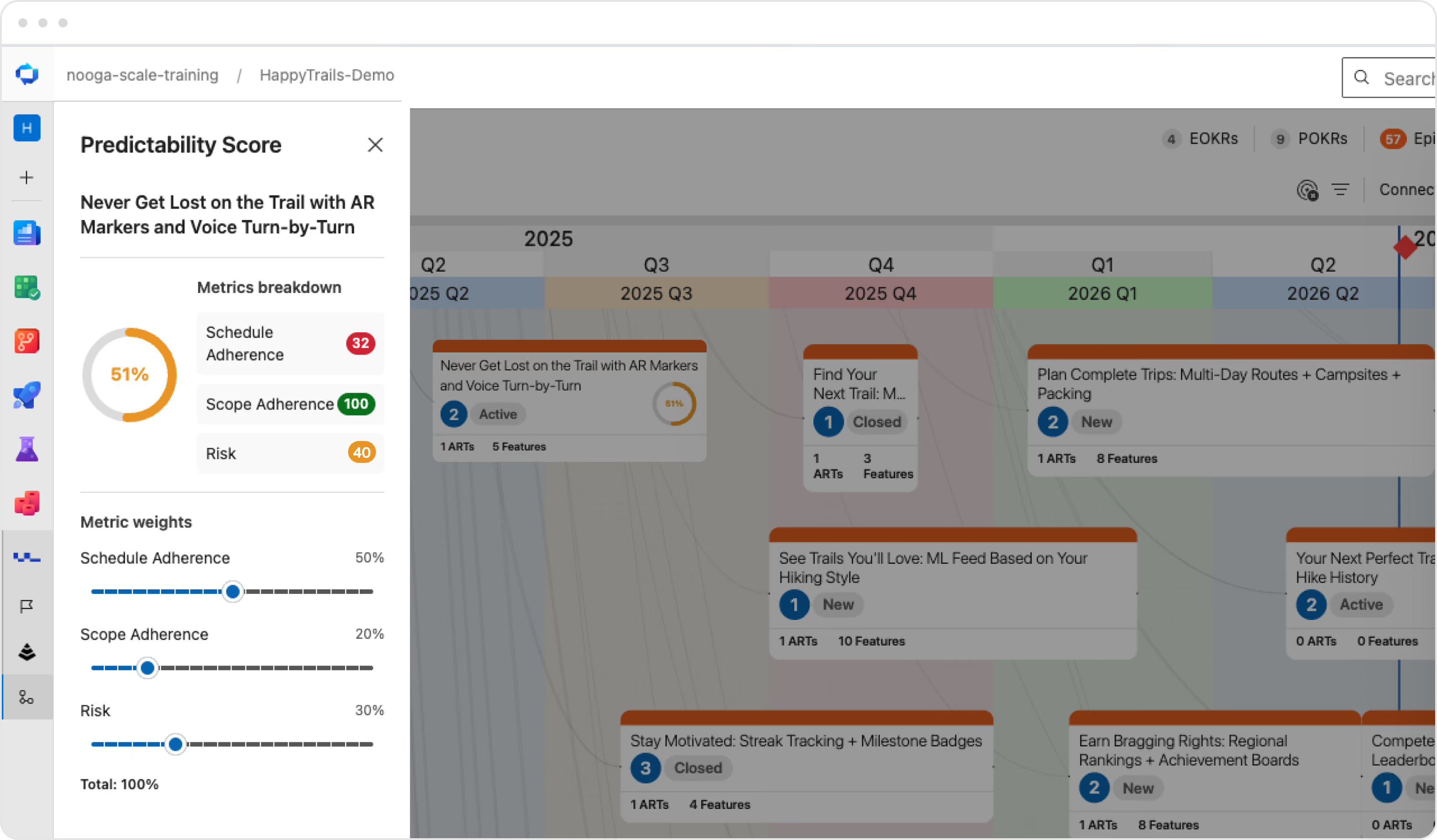
Work with predictability scores in Nooga Portfolio: see which epics carry the most risk, are behind schedule, and how the work related to them is progressing, so you can see how certain your organization is in delivering expected outcomes.
Azure DevOps Extensions
Portfolio management built into every layer of delivery
See the complete picture — from strategy to execution
Agile planning at scale made easy
Risk management tool for the modern development world
FAQ
Common questions about portfolio management with Nooga
Yes. Connecting Nooga Portfolio with Nooga Scale adds delivery structures and team-level feature ownership into the portfolio view, which supports LPM, PPM, and however your organization chooses to work. If you follow SAFe, PI planning overlays and ART structures are available out of the box.
No. Nooga Portfolio directly reads your existing Azure DevOps work items — epics, features, and stories. You just add the OKR connections. Everything stays in Azure DevOps with no separate database to sync.
Azure DevOps doesn’t natively have OKR management, an Enterprise View across Portfolios and ARTs, or the ability to trace strategy to execution. Nooga Portfolio adds all this as a native extension.
Shadow work is any work item that is not connected to any OKR or strategic objective. Surfacing it gives portfolio managers and leaders the information to decide if that work is valid, whether it should be linked to a goal, or be stopped entirely.
Nooga Portfolio
Nooga Scale
Nooga Risk
Get started with Nooga today
Connect strategy to execution and give your leadership and delivery teams the live data they need to make the right decisions.